What is a default profile?
Your default profile is the profile you bid with as soon as you log in. In Bidding profiles, that profile carries the label Standard.
How to choose your default profile:
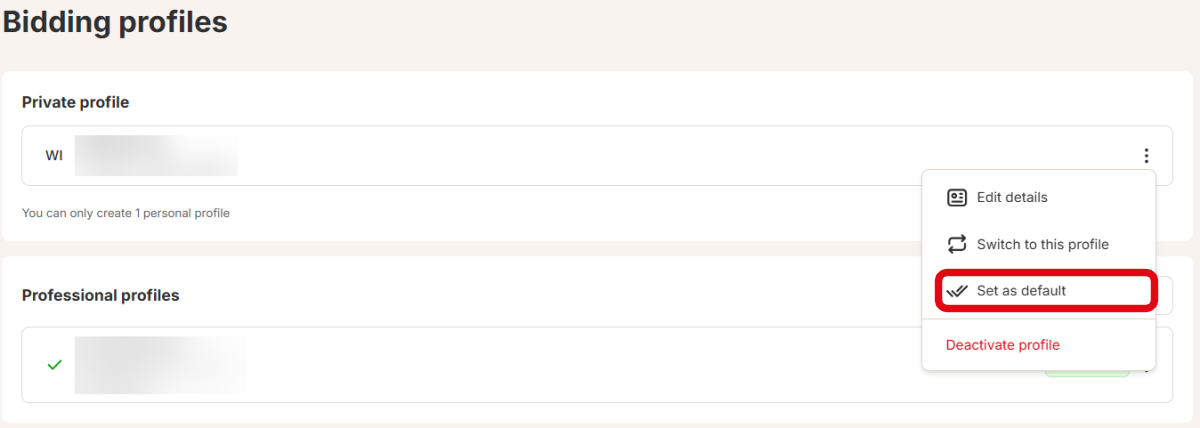
- Click the red button with your name at the top right and go to Your Account > Bidding profiles.
- Click the three dots next to the profile.
- Choose Set as default.
Do you usually bid for your company? Then set that profile as default. If you want to bid privately once, switch profiles for that one time.
Related: How do I switch bidding profiles?
Was this article helpful?
That’s Great!
Thank you for your feedback
Sorry! We couldn't be helpful
Thank you for your feedback
Feedback sent
We appreciate your effort and will try to fix the article