How do I set my preferences?
Click the red button with your name at the top right and go to Your Account > Preferences.
- Newsletters: switch on the categories you want to receive new auctions about. With Select all or Deselect all you switch them all on or off at once.
- Reminder e-mails: choose whether you want a reminder 24 hours, 5 hours and/or 1 hour before your favourite lots close.
Then click Save at the top right.
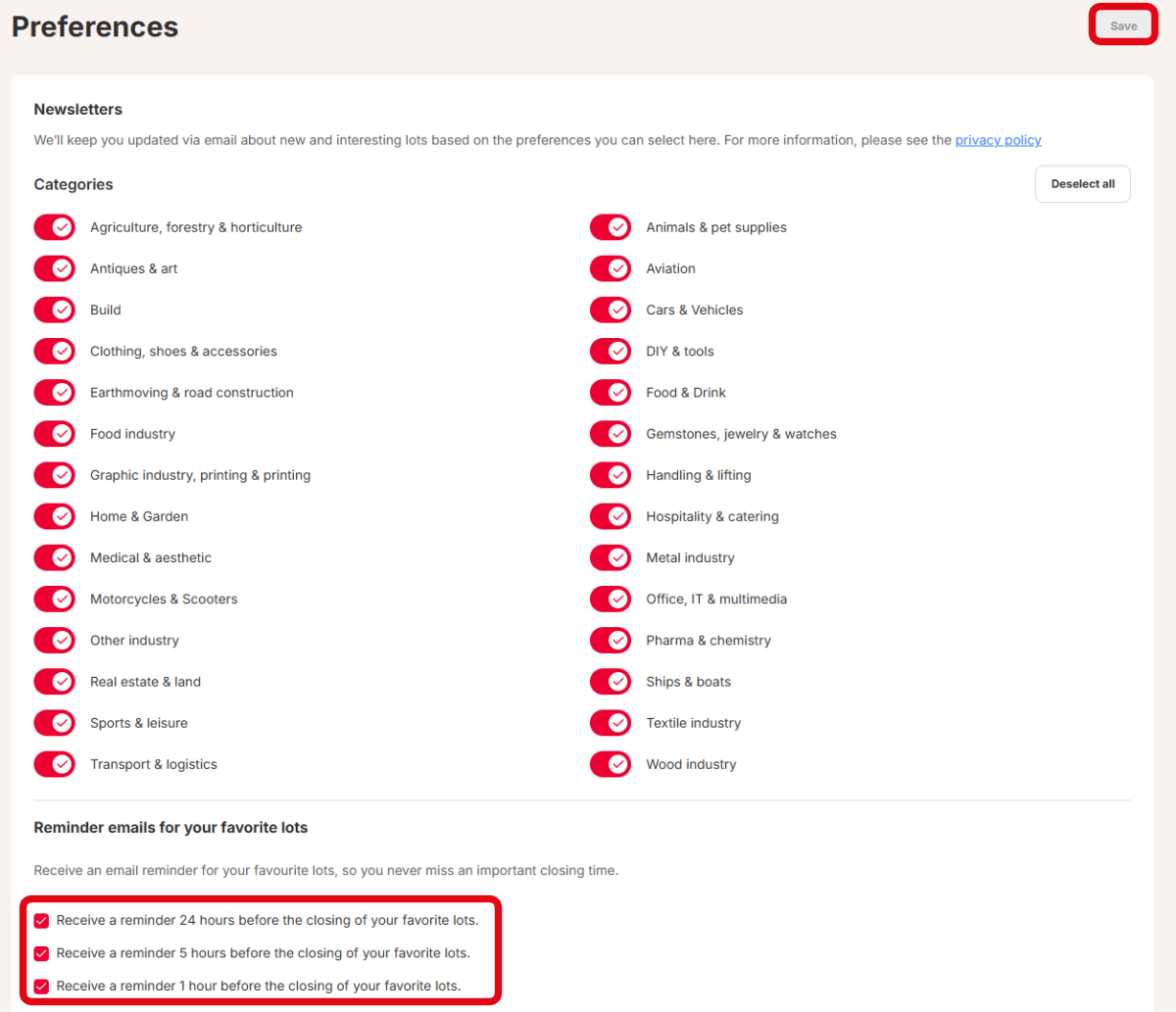
No longer want newsletters? Switch off the categories, or click Unsubscribe at the bottom of a newsletter.
Related: What can I find in my account?
Was this article helpful?
That’s Great!
Thank you for your feedback
Sorry! We couldn't be helpful
Thank you for your feedback
Feedback sent
We appreciate your effort and will try to fix the article