How do I delete my account?
- Click the red button with your name at the top right and go to Your Account > General information.
- At the bottom, click Delete account and confirm.
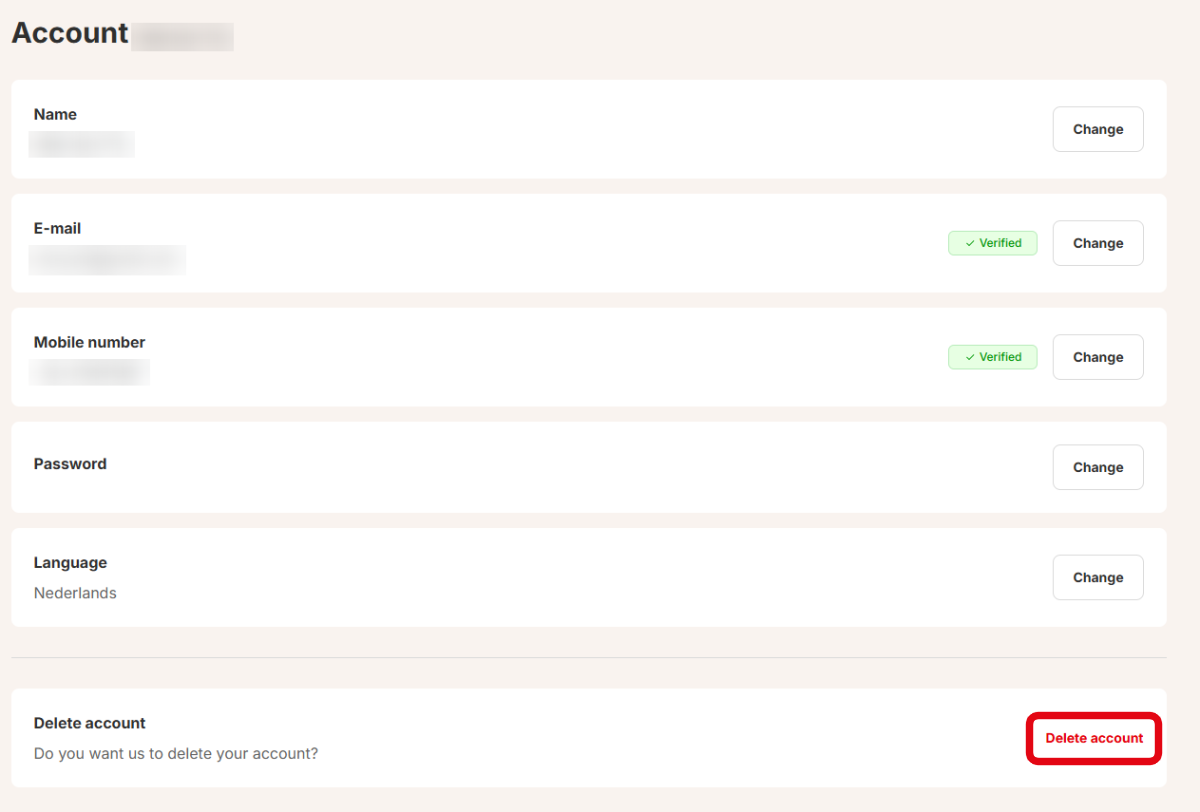
The deletion then starts automatically.
Do you still have a deposit? Request it back first via the red button with your name at the top right: Your Account > Deposit.
Some data, such as invoices, must be kept by law, even after your account has been deleted.
Want to bid again later? Then create a new account.
Only want to stop using a company? Deactivate that bidding profile instead. See How do I deactivate a bidding profile?
Was this article helpful?
That’s Great!
Thank you for your feedback
Sorry! We couldn't be helpful
Thank you for your feedback
Feedback sent
We appreciate your effort and will try to fix the article