How do I check my deposit balance?
Click the red button with your name at the top right and go to Your Account > Deposit. At the top you see your Total deposit balance. Below it you see every payment with date and amount. With the printer icon you download a receipt of that payment.
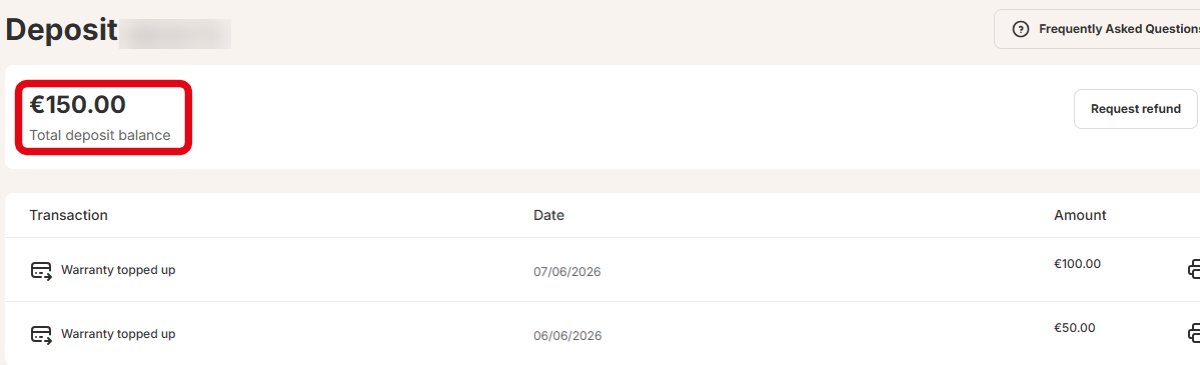
The balance applies to the active bidding profile. If you have several profiles, switch profiles to see the balance of another profile.
Related: Does my deposit apply to all my bidding profiles? · How do I request a refund of my deposit?
Was this article helpful?
That’s Great!
Thank you for your feedback
Sorry! We couldn't be helpful
Thank you for your feedback
Feedback sent
We appreciate your effort and will try to fix the article