How do I create a company profile?
You add a company profile to your existing account. You keep logging in with the same e-mail address and password.
- Click the red button with your name at the top right and choose Bidding profiles.
- Under Professional profiles, click + Create profile.
- Choose the country of your company, enter the VAT number and click Validate VAT number.
- Check the company name and address and complete them where needed. The EORI number is optional.
- Confirm that you accept the privacy statement and the terms and conditions and click Agree & continue.
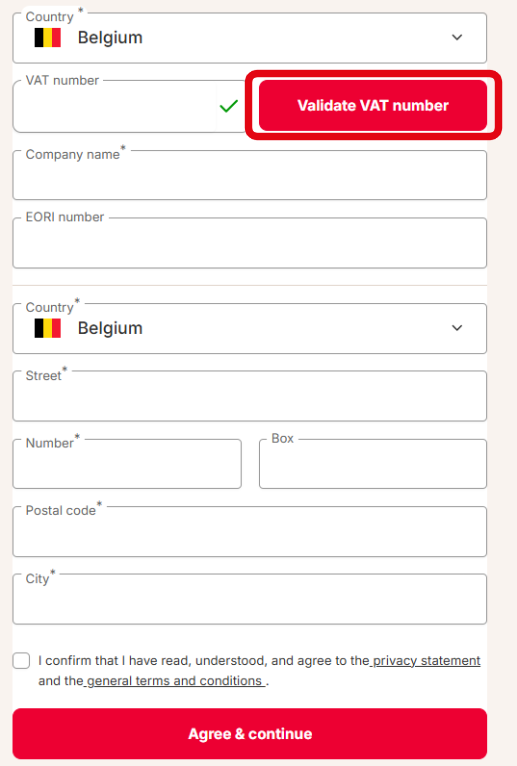
The VAT number is checked automatically. Is it rejected or already registered? Read My VAT number is already registered. What now?
New to Auctim? During registration you can choose Professional profile – Company straight away.
What is an EORI number? An identification number for customs, required for imports and exports outside the EU. If you do not have one, it is often the same as your VAT number.
We only ask for an SMS code for your first bidding profile. An additional company profile does not need one.
Related: What is a bidding profile? · How do I switch bidding profiles?
Was this article helpful?
That’s Great!
Thank you for your feedback
Sorry! We couldn't be helpful
Thank you for your feedback
Feedback sent
We appreciate your effort and will try to fix the article